
 Install with Gale

Sunkenland Plus
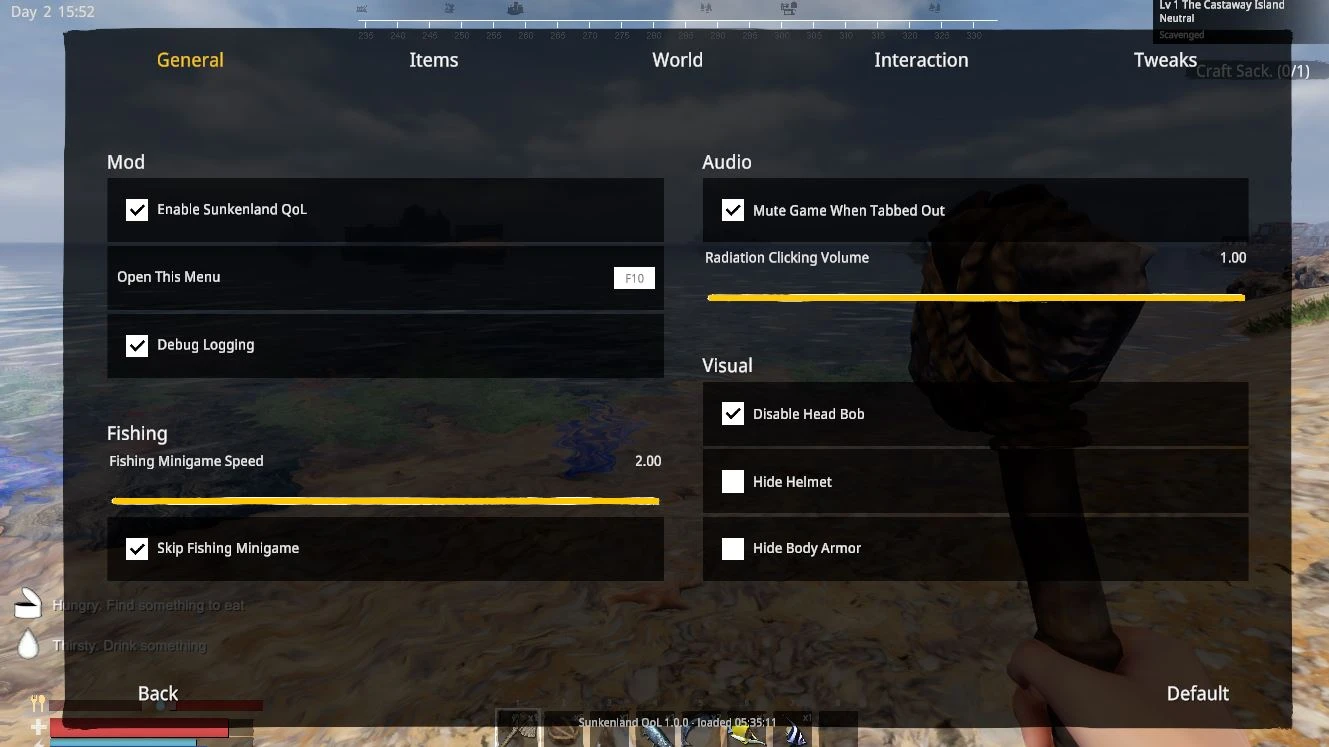
Sick of the fishing minigame, loot scattering everywhere and holding F for everything? Sunkenland Plus is over 40 QoL features and tweak sliders in one mod, all run from its own settings menu in game.
Press F10 or hit the QoL Settings button in the pause menu and set the game up how you like it. No config file editing.
Features
Inventory and storage
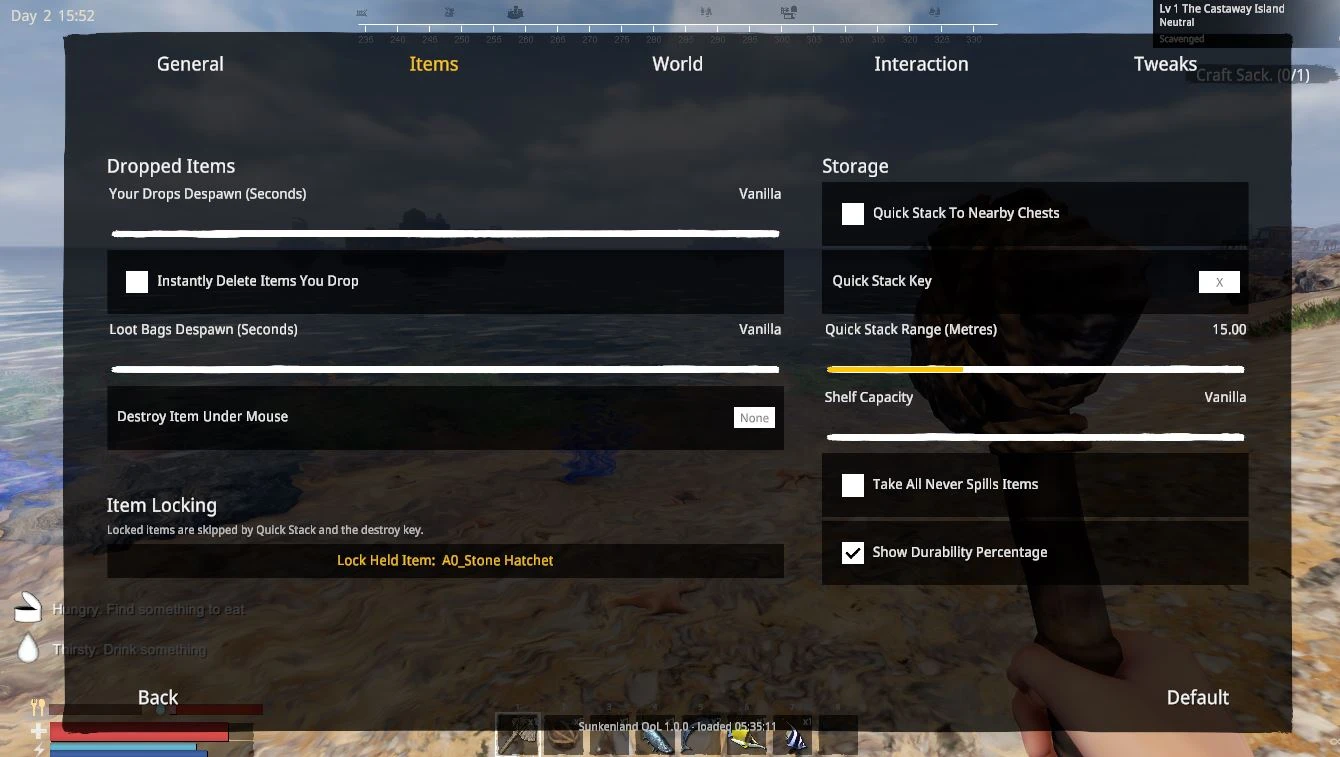
- Quick stack One key sends your items into nearby chests that already hold that item type.
- Item locks Protect items by name so quick stack, the destroy key and instant delete never touch them. Managed from the menu.
- Take all protection When your inventory fills up during take all, the rest stays in the chest instead of scattering on the ground.
- Destroy item key Point at a stack in any inventory window and press a key to destroy it.
- Durability numbers Item icons show durability as a percentage, not just the bar.
- Shelf capacity Set how much wood and scrap shelving holds.
World and time
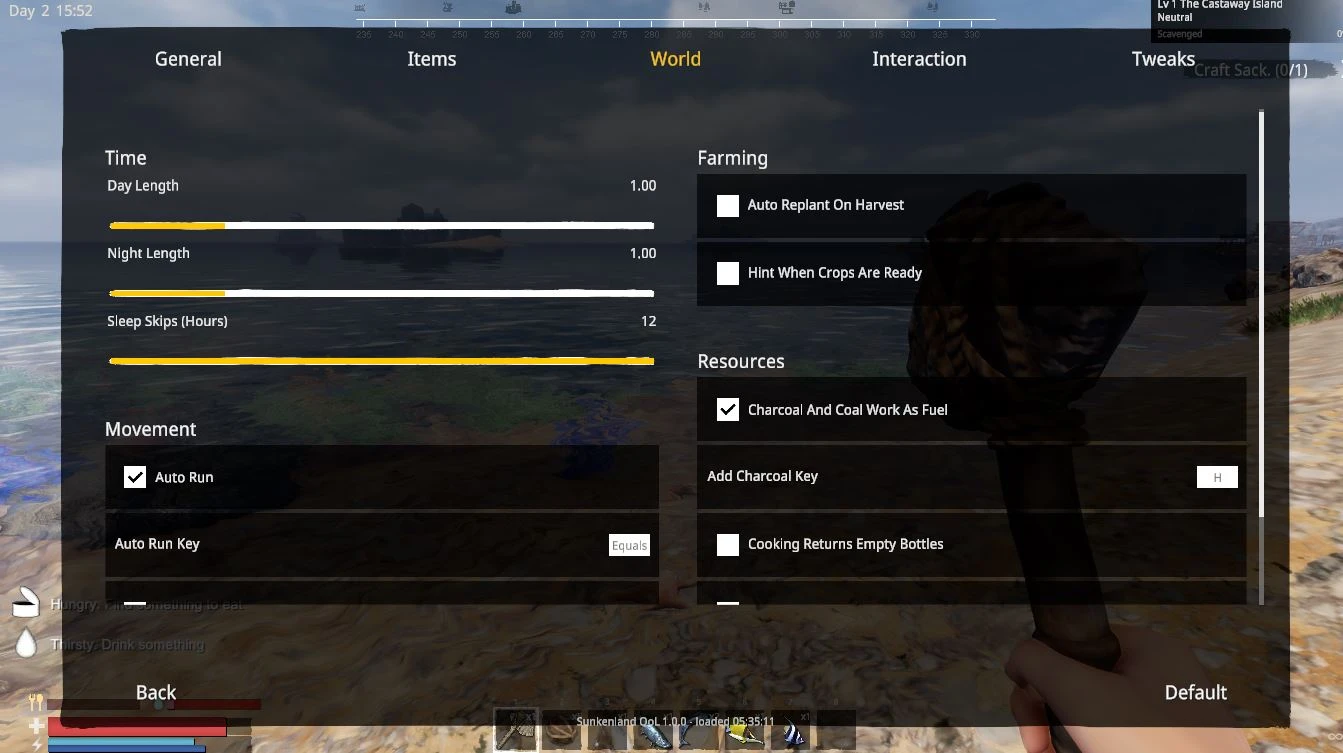
- Day and night length Make days or nights as long or short as you want.
- Sleep hours Sleeping skips however many hours you choose instead of the whole night.
Interaction
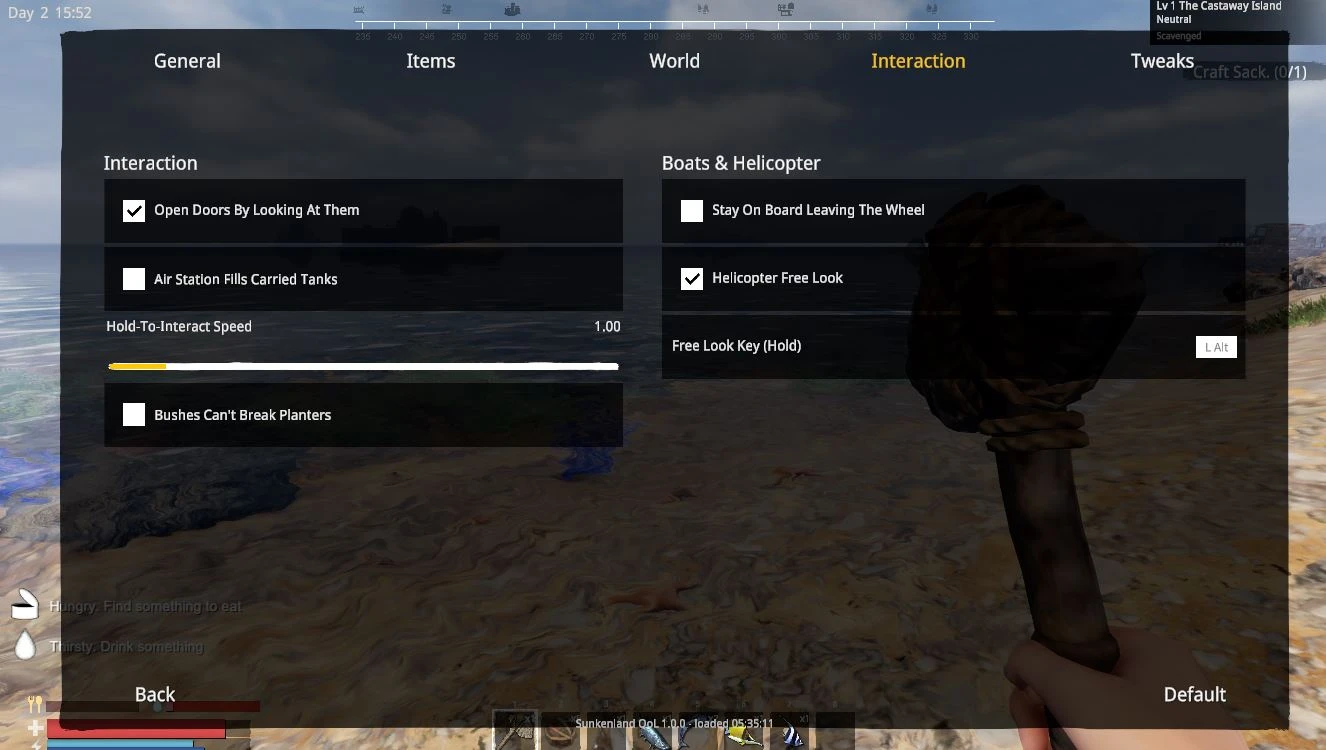
- Doors open by looking at the door Not the doorway.
- Hold bar speed Speed up every hold to interact bar in the game.
- Air station auto fill Stand near a filled air station and your tanks top up on their own.
- Safe bush harvest Your machete stops wrecking your planters while harvesting.
- Charcoal as fuel Press a key at any burner to feed it charcoal instead of wood.
- Cooking returns empty bottles Drinking fresh water gives the bottle back.
- Recycle clothing The recycler breaks down basic looted clothing into cloth instead of refusing it.
Farming
- Auto replant Harvesting a crop replants it if you have a seed.
- Crops ready hint A message when your crops are ready to harvest.
Movement and boats
- Auto run Toggle forward movement without holding W.
- Unstuck key Wedged in geometry, press a key, you are out.
- Stay on your boat Getting out of the driver seat puts you on the deck instead of in the water.
- Helicopter free look Hold a key to look around while flying.
Fishing
- Indicator speed Slow the minigame down to whatever feels fair.
- Skip the minigame Fish go straight into your inventory the moment they bite.
Drops
- Drop despawn timers Set how long dropped items and loot bags stay in the world, or delete your own drops instantly. Death boxes are never touched.
Visual and audio
- Hide helmet and armor On your character, stats stay.
- Disable head bob Kills the walk sway and the camera bounce from jumping and landing.
- Radiation click volume Turn that geiger clicking down without touching anything else.
- Mute on alt tab Game goes silent when you tab out.
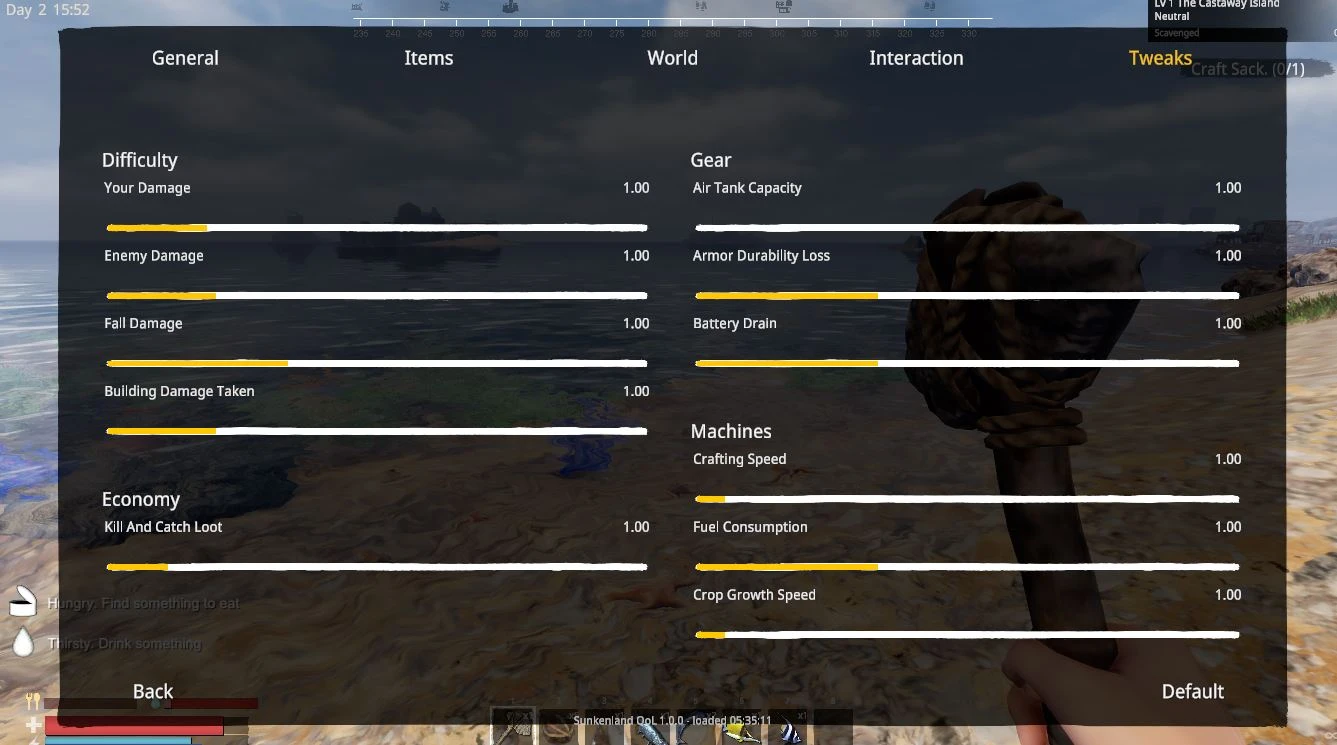
Tweak sliders All default 1x
- Player damage, enemy damage, fall damage, building damage
- Loot amount
- Air tank capacity, tool durability loss, battery drain
- Crafting speed, fuel consumption, plant growth speed
Installation
With a mod manager (Gale)
Hit Install and it handles BepInEx and the mod for you.
Manual
- Download BepInEx_x64_5.4.22.0.zip from the BepInEx releases page. You need the x64 Mono build, not IL2CPP.
- Steam, right click Sunkenland, Manage > Browse local files.
- Extract BepInEx into the game folder. winhttp.dll should end up next to Sunkenland.exe.
- Launch and exit once so BepInEx makes its folders.
- Put SunkenlandQoL.dll in Sunkenland\BepInEx\plugins and launch.
Updating, just overwrite the old SunkenlandQoL.dll.
Configuration
Everything is managed in game with F10 or the QoL Settings button in the pause menu, so you should never need the config file. If you do want it, it is com.pineapple54.sunkenlandqol.cfg and where it lives depends on how you installed.
Gale
Use the Config tab in Gale, or find the file at:
%APPDATA%\com.kesomannen.gale\sunkenland\profiles\<your profile>\BepInEx\config\
Manual
Sunkenland\BepInEx\config\
Each Gale profile keeps its own config, so settings do not carry between profiles or over to a manual install.
Works in singleplayer and as host. A few host only features say so in the menu.
Uninstall
In Gale, just uninstall the mod. For a manual install, delete SunkenlandQoL.dll from BepInEx\plugins.
Either way the mod adds nothing to your save, everything goes back to vanilla.
Support
Hope this makes your runs smoother. If you wanna support me, a coffee would make my day ☕

🐛 Bugs, help, and updates → Join the Discord